Chrome Extension Tab Reminder: The #1 Effortless Fix for Tab Overload
If you’ve ever searched for a chrome extension tab reminder tool, you already know the problem: too many tabs open, […]
Your blog category
If you’ve ever searched for a chrome extension tab reminder tool, you already know the problem: too many tabs open, […]

The Web development in 2026 looks almost unrecognizable compared to just three years ago. AI-assisted coding is now the norm,

If you haven’t heard the term “agentic AI” yet, you’re already behind. By the end of 2026, 40% of enterprise

The way businesses operate has fundamentally shifted. Agentic AI in 2026, AI is no longer a chatbot you query for

The digital marketing 2026 playbook has been torn up and rewritten — again. But this time, the changes aren’t incremental.

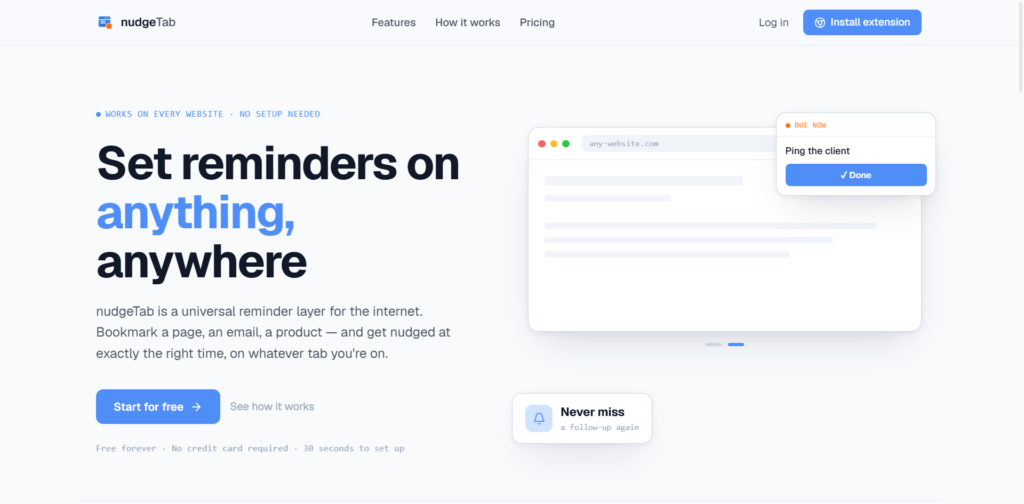
You can set a reminder on any website in under 30 seconds — no calendar app, no sticky note, no tab left open “just in case.” Here’s the tab you know: it’s been open for six days. It’s a pricing page, or a half-written email, or a product you were “going to think about.” You haven’t touched it since Tuesday. But you can’t close it, because closing it feels like forgetting it. That’s not a browser problem. It’s a missing-reminder problem, and it’s exactly what a good browser reminder extension is built to fix. Why leaving the tab open doesn’t work Open tabs are a memory hack — you’re using your browser’s window list as a to-do list. That works for about a day. After that, you stop scanning closely enough to notice the important ones. A crash wipes the whole list. So every new tab just makes the old ones easier to ignore. Tabs are storage, not scheduling. Why bookmarks don’t solve it either Bookmarks fix “I’ll lose this,” not “I’ll forget to come back.” A bookmarked folder is exactly as easy to ignore as a pinned tab, because it has no sense of time attached to it. What it actually takes to set a reminder on any website A reminder tied to a page needs three things: That last point is what separates a real browser reminder extension from a glorified bookmark manager. Setting the reminder, step by step nudgeTab is a browser reminder extension built for exactly this. Here’s the process: It’s free to start, works on every website (not a curated list), and takes about 30 seconds to set up. The bigger shift If a page needs a decision or an action later, it’s not a bookmark — it’s a reminder. That distinction is the whole fix. For a deeper look at the tools that do this well, see our roundup of the best Chrome extensions

Introduction The importance of AI today cannot be overstated. What was once a futuristic concept confined to science fiction has